Portfolio

Adjustment Autolevel
Window Layers
Window Settings
Window Tools
View Window
Window Help
Window History
View Selection
View Ruler
View Plus
Window Color
View Fit
View Grid
View Check
Transparent Mode
Tools Zoom
View Minus
Tools Text
Tools Rselect
Tools Recolor
Tools Picker
Tools Pen
Tools Pan
Tools Move P
Tools Magic
Tools Lasso
Tools Gradient
Tools Fill
Tools Eraser
Tools Move S
Text Strike
Text Underline
Tools Brush
Tools Clone
Tools Cselect
Tools Curve
Shapes Outline Fill
Tab Dropdown
Text Bold
Text Center
Text Right
Text Left
Text Italic
Select Union
Shapes Outline
Shapes Fill
Selection Smooth
Selection Normal
Select Subtract
Select Size
Select Replace
Select Ratio

Select Normal
Select Invert
Select Intersect
Sampling Secondary
Sampling Once
Sampling Layer
Sampling Image
Samplingmode
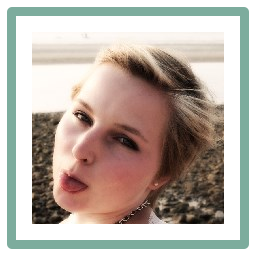
Picture
Picker Keep
Picker Change
Palette Save
Palette Open
Layer Rotate
Layer Properties
Layer Merge
Layer Duplicate
Layer Add
Layer Import
Image Xrotate
Image Xflip
Image Rotate
Gradient Nor
Gradient Wrap
Image Canvas
Image Crop
Image Merge
Image Resize
Gradient Mirror
Globe
Flood Global
Flood Continuous
File Save As
File Save
File Print
File Open
File New
File Close
File Acquire
Effect Zoom
Effect Vignette
Effect Unfocus
Effect Tiled
Effect Spiral
Effect Surface
Effect Soften
Effect Sketch
Effect Sharpen
Effect Remnoise
Effect Relief
Effect Redeye
Effect Radial
Effect Polar
Effect Pixelate
Effect Outline
Effect Oil
Effect Motion
Effect Median
Effect Mandelbrot
Effect Julia
Effect Ink
Effect Glow
Effect Gauss
Effect Frosted
Effect Fragment
Effect Emboss
Effect Edge
Effect Dents
Effect Crystal
Effect Cloud
Edit Xdo

Effect Bulge
Effect Addnoise
Edit Select All
Edit Paste Selection
Edit Paste New
Edit Paste
Edit Invert
Edit Fill Selection
Edit Deselect
Edit Delete
Edit Cut
Aliasing Off
Edit Copy Merge
Document Size
Document Selection
Aliasing On
Edit Copy
Adjustment Hue
Adjustment Sepia
Adjustment Posterize
Adjustment Level
Adjustment Invert
Adjustment Curves
Adjustment Bright
Adjustment Black